
When you buy through our links, Business Insider may earn an affiliate commission. Learn more
We tested the best TVs from brands like Sony and Samsung to find displays ideal for all kinds of users.
Steven Cohen/Business Insider
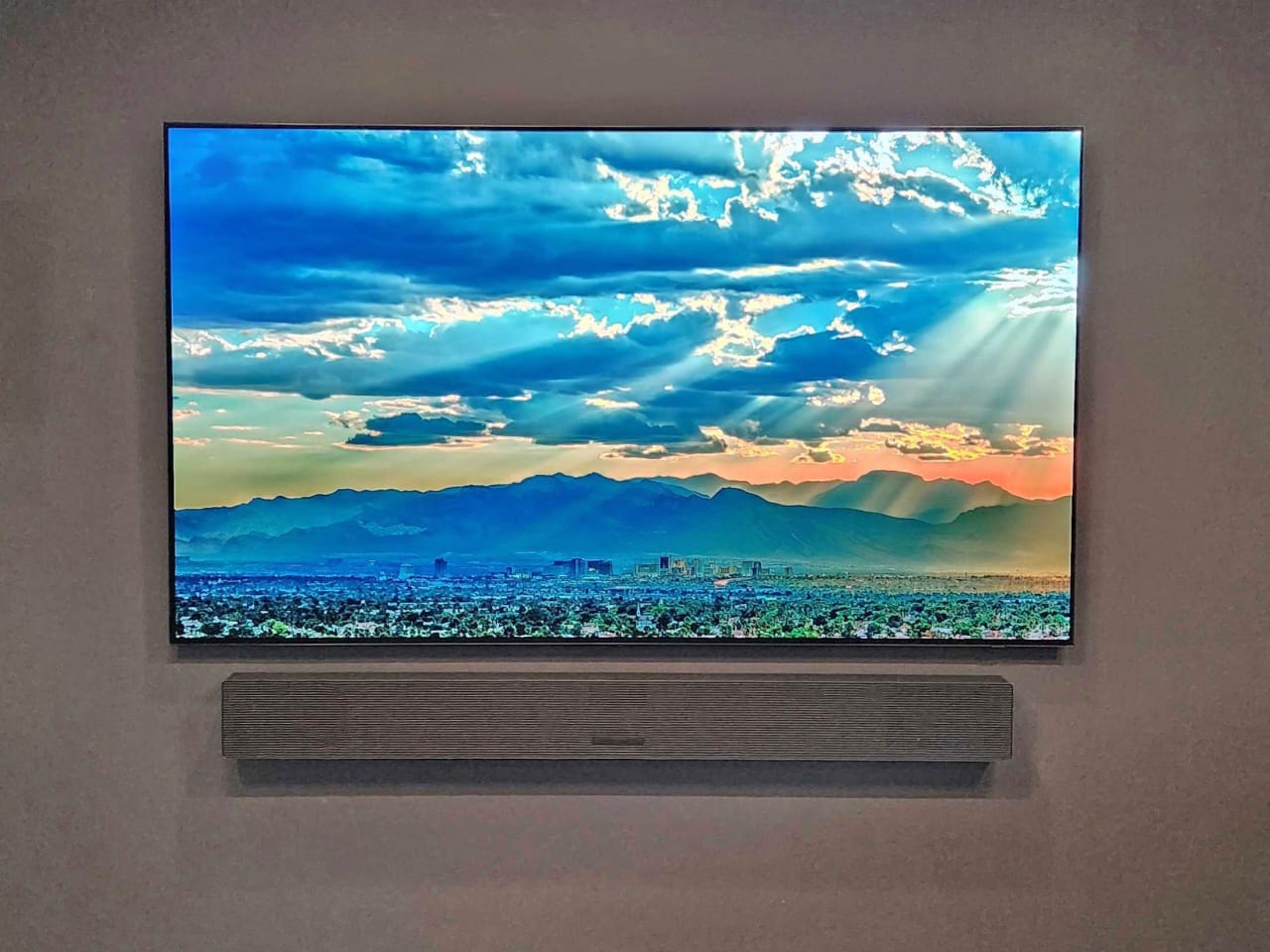
Shopping for a new TV can get overwhelming fast. Between endless spec sheets and flashy jargon, it’s tough to know which models are actually worth your money. But that’s where I can help. I’ve been testing home entertainment gear for over a decade and have reviewed TVs across every display type. I know exactly what TVs at different price points should deliver to make them worthwhile, and I’ve used that expertise to pick the four best TVs you can buy right now.
The Samsung S90H OLED is my top recommendation for most people. It’s easy to set up, offers exceptional picture quality, and uses a solid anti-glare screen that works well in a variety of rooms. But if you’re trying to spend less, the TCL QM6K QLED is a standout for the money. It doesn’t match the S90H’s performance, but it punches well above its price and uses the snappy Google TV interface with Gemini AI smarts.
My team and I use calibration tools to measure a TV’s picture, but we don’t stop there. Our philosophy is that real-world viewing and overall usability matter most. That’s why we spend plenty of time watching actual movies and channel surfing just like you would. This helps us spot strengths and flaws that test patterns would never reveal on their own. We also factor in smart features, design, and value to find the best TVs across the board.
Editor’s note: We used to have a separate buying guide focused on the best 4K TVs, but we consolidated it into this guide. The reason? 4K TVs are the industry standard. Most brands have phased out their 8K models and limit their HD sets to smaller, entry-level offerings. So the best 4K TVs are also the best TVs overall.
Our top picks for the best TVs
Best overall: Samsung S90H OLED TV – See at Amazon
Best entry-level: TCL QM6K QLED TV – See at Amazon
Best for bright rooms: Sony Bravia 9 II True RGB TV – See at Sony
Best midrange: TCL QM7L SQD TV – See at Amazon
The best TVs, compared
Samsung S90H TCL QM6K Sony Bravia 9 II TCL QM7L
Best for An ideal balance between price and performance Shoppers on a budget who still want solid features High-end performance in a room with lots of lamps or windows A bright, colorful image at a midrange price
Skip this if You’re willing to pay extra for even higher brightness and next-gen color capabilities You need high brightness and wide viewing angles You don’t care about reflections, or you don’t want to pay up for top-tier picture quality You often sit off to the side of your screen or want OLED-level contrast
Release year 2026 2025 2026 2026
Typical price (65 inch) $1,498 $648 $3,600 $1,200
Panel OLED, 165Hz QLED, 144Hz True RGB, 120Hz SQD, 144Hz
Peak brightness 1,440 nits 557 nits 4,122 nits 2,400 nits
Smart TV OS Tizen Google TV Google TV Google TV
HDMI Four HDMI 2.1 Two HDMI 2.1, two HDMI 2.0 Two HDMI 2.1, two HDMI 2.0 Two HDMI 2.1, two HDMI 2.0
Best overall: Samsung S90H
The Samsung S90H is one of the most versatile TVs on the market.
Ryan Waniata/Business Insider
Display: OLED, 165Hz
Screen type: Matte
Sizes: 42, 48, 55, 65, 77, and 83 inches
HDMI ports: Four HDMI 2.1
Smart TV OS: Samsung Tizen
Buy if: You want a versatile TV that’s easy to assemble and looks great in a variety of rooms, thanks to its combination of pixel-level contrast and good reflection handling.
Skip if: You’re willing to pay more for a premium TV that delivers even higher brightness and color volume.
The Samsung S90H OLED might be the closest thing to a do-it-all TV there is. Its OLED panel delivers pixel-level contrast, deep black levels, wide viewing angles, and rich colors. But it doesn’t stop there. It’s also easy to assemble with a snap-in stand and boasts a highly effective anti-glare screen. And recent discounts have made it an exceptional value. For the money, no other TV can match the S90H’s total package.
I previously recommended last year’s very similar S90F in this spot, but that model is getting hard to find in stock, and the price gap between the two has dwindled. The S90F is still a great TV with its own perks (some sizes have slightly superior color), but the S90H earns points with its new anti-glare screen. It does an excellent job at combating reflections with only a small hit to contrast in bright rooms. This makes the S90H a more versatile TV for a variety of spaces.
The S90H is refreshingly easy to set up. Its legs snap into place without any screws, then lock into a pedestal-style cover that gives the TV a clean, polished look. The trade-off is that the plastic stand doesn’t feel as substantial as the metal bases included with some competing sets. Samsung’s SolarCell remote is another touch that deserves notice. It’s compact, but the controls are easy to reach, and its rear solar panel keeps it charged without batteries. There’s also a USB-C port for charging as a backup.
Picture quality is where this OLED really shines. Because each pixel can turn on and off, the S90H delivers deep black levels that disappear into a dark room. With the lights off, dim scenes stay convincingly inky instead of turning into a hazy gray mess, while bright HDR highlights have real punch. Colors look rich, details remain crisp, and the overall image has the bold, cinematic quality OLED buyers expect. In testing, I measured roughly 1,440 nits of peak brightness, which is excellent for a midrange OLED.
The S90H also holds up well when you’re not sitting directly in front of it. Contrast remains good from nearly anywhere in the room, making it a great fit for wider seating setups. Some units may show a faint green tint at an angle due to normal panel variations, but this is common with OLEDs and far less noticeable than the dramatic off-center color loss you get with most LED and QLED TVs.
It’s a strong option for gaming, too. With a compatible PC, the display supports up to a 165Hz refresh rate for smooth motion. Samsung’s Tizen platform also includes the Xbox Cloud Gaming app, so Game Pass subscribers can stream Xbox games without hooking up a console.
Tizen offers access to nearly every major streaming service, along with Amazon Alexa and Samsung’s Bixby voice assistant. It also feels quicker than older Samsung smart TVs, with faster loading times and less lag when navigating menus. Still, our reviewer found the interface’s AI recommendations distracting, and the app menu lacks a dedicated search tool. The TV also automatically reopens the last app or input you used when you turn it on instead of returning to the home screen, which can get irritating. But these are mostly nitpicks, and far from dealbreakers.
Editor’s note: We tested the 65-inch S90H. Though all sizes share the same basic specs and features, the 48- and 77-inch models use a more advanced OLED panel, which should deliver an even higher peak brightness of around 2,000 nits.
Read our Samsung S90H 4K TV review .
Best entry-level model: TCL QM6K
The QM6K is one of the most affordable Mini LED TVs on the market.
Steven Cohen/Business Insider
Display: QLED with Mini LED backlight, 144Hz
Screen type: Glossy (50-75 inches), matte (85 and 98 inches)
Sizes: 50, 55, 65, 75, 85, and 98 inches
HDMI ports: Two HDMI 2.1, two HDMI 2.0
Smart TV OS: Google TV
Buy if: You’re on a budget and want a TV that doesn’t sacrifice key picture quality features.
Skip if: You have a bright room or plan to watch TV at an angle a lot.
The QM6K is TCL’s top entry-level QLED TV. The 65-inch size is often on sale for $650 or less, which is an excellent value for a TV in this class.
The QM6K’s Google TV interface is easy to use and snappy to navigate. When reviewing older TCL TVs, I encountered several minor glitches here and there, but the QM6K was free from bugs. Google TV has gradually become one of my favorite interfaces, thanks to its clean layout and seamless integration with other Google services. And Google’s new Gemini AI assistant works well for voice search and content recommendations. I also love that the included remote has backlit keys, which even high-end LG and Samsung models lack.
However, what really sets the QM6K apart from most similarly priced TVs is its use of a Mini LED backlight and quantum dots. These features are typically reserved for pricier sets and enable the QM6K to produce higher contrast and better color than most rivals. I was impressed by the TV’s backlight control, which produced minimal blooming (halos around bright objects) and a solid HDR image with excellent saturation.
However, as a budget-friendly TV, the QM6K has some limitations. The display’s black levels are slightly lighter than those of pricier QLEDs, and its brightness is notably dimmer than my other picks. I measured 557 to 736 nits across different-sized test patterns. That’s still decent for this price range, but bright highlights in some movies and TV shows have less impact than intended.
Although viewing angles have been improved over older TCL QLEDs, they’re still much narrower than those of an OLED. On the plus side, the QM6K offers a significant gaming upgrade over its predecessor, with a refresh rate of up to 144Hz. This makes the QM6K one of the most affordable TVs that can display 4K/120Hz signals from a PS5 or Xbox Series X, enabling smoother motion when playing certain games.
All things considered, the QM6K is the perfect starter TV for anyone who wants a budget set that offers worthwhile HDR performance. However, the QM6K has steep competition from Hisense’s new U6SF Pro , which delivers similar Mini LED contrast while offering a brighter picture and a more effective anti-glare screen. The U6SF Pro has a higher list price, but recent deals have matched the QM6K’s price. If those discounts remain consistent, the U6SF Pro could replace the QM6K in this spot.
Read our TCL QM6K 4K TV review .
Editor’s note: The TCL QM6K offers an excellent starting point for upgrading your living room. But if you have a strict spending limit or are looking to furnish a secondary bedroom, check out my complete size-by-size breakdown of the best TVs under $500 for other affordable options.
Best for bright rooms: Sony Bravia 9 II
The Bravia 9 II is one of the few TVs that can deliver a vibrant, bright image even in a room bathed in sunlight.
Steven Cohen/Business Insider
Display: True RGB, 120Hz
Screen type: Matte
Sizes: 65, 75, 85, and 115 inches
HDMI ports: Two HDMI 2.1, two HDMI 2.0
Smart TV OS: Google TV
Buy if: You want high-end picture quality with cutting-edge color performance, even in especially bright rooms.
Skip if: Reflections aren’t an issue in your room, or you’d rather pay less for midrange color and brightness.
My living room is a genuine torture test for daytime viewing. There are several large windows to the left and directly across from my media console. During the day, when the curtains and blinds are pulled up, the space is bathed in sunlight. Most TVs are absolutely hammered by reflections and glare when I review them in this setting. But the Sony Bravia 9 II is not most TVs.
The display’s unique anti-glare screen is the most effective I’ve ever seen, even besting Samsung’s tech. And it pairs this matte-like finish with one of the brightest panels on the market. This powerful combination can shrug off even the most troublesome reflections and reduce glare to a subtle, dispersed sheen. If you have a room where light from windows, overhead bulbs, or lamps is a constant headache, the Bravia 9 II could be a revelation.
Of course, there are some drawbacks. Given the extreme sunlight in my room, I’ve noticed a slightly frosted, hazy look when watching certain content during the day. But this side effect is expected and is still much better than dealing with mirror-like reflections. Pumping up the TV’s brightness also helps overcome this.
Speaking of, I measured the Bravia 9 II’s peak HDR brightness at an incredible 4,122 nits. That’s substantially more than any other TV in this guide. And thankfully, the display is more than just a showcase for raw luminance. It can also harness its light with incredible precision. This is a result of Sony’s advanced True RGB backlight system , which comes remarkably close to matching OLED-caliber contrast and delivers the best black levels I’ve seen from a backlit TV. OLED still has an edge, but the gap is closer than ever.
Sony’s True RGB backlight is also a color powerhouse. Like other RGB LED technologies, this system uses separate red, green, and blue diodes to produce a purer, wider range of colors than a traditional Mini LED or QLED TV. I measured the TV’s gamut at 89% of the BT.2020 color space. That’s close to industry-leading, and only slightly behind top RGB LED TVs I’ve tested from Samsung and Hisense. Though most content doesn’t need such a wide color gamut just yet, the results are still impressive, with gorgeous saturation and no major signs of crosstalk (color blooming) in real-world viewing.
The Bravia 9 II also has very solid viewing angles for a backlit TV. I can sit at the end of either side of my three-seater sofa and not notice any notable loss in color or contrast. The same can’t be said for many competing backlit sets I review. Again, we’re still a ways away from OLED-caliber viewing angles here, but it’s better than most TVs of this type.
It’s important to note that the Bravia 9 II is a premium flagship set, so it is priced accordingly. But if you have the budget, you get your money’s worth with a high-end picture that looks good even in a very bright room. The TV’s design also includes some luxurious touches, such as a handy backlit, USB-C-chargeable remote and a unique “Mirage Stand.” The latter has a panel that uses optical refraction, making any cables or wires behind it appear to be invisible. It’s a fun design element that adds an extra dash of elegance to the whole package.
Check out our guide to the best Sony TVs .
Editor’s note: One of the Bravia 9 II’s earlier firmware updates introduced subtle horizontal scanlines in Dolby Vision content. However, the TV’s most recent update has largely fixed this. After retesting several Dolby Vision videos, I only saw lines in “Widow’s Bay” when watching through the TV’s built-in Apple TV app — not when streaming the same show through a connected Roku Ultra or with any other Dolby Vision content and sources. Given the rarity of lingering issues, I don’t consider this a notable drawback.
Best midrange option: TCL QM7L
TCL’s QM7L delivers impressive color and brightness for the money.
Ryan Waniata/Business Insider
Display: SQD with Mini LED backlight, 144Hz
Screen type: Glossy
Sizes: 55, 65, 75, 85, and 98
HDMI ports: Two HDMI 2.1, two HDMI 2.0
Smart TV OS: Google TV
Buy if: You want a bright, colorful TV at a midrange price but don’t care about getting the absolute best image quality.
Skip if: You want OLED-level contrast and wider viewing angles.
TCL’s QM7L is one of the best TVs in its price range. It’s an especially great midrange set for those who want excellent brightness and color performance at a price lower than high-end flagship sets.
Similar to the entry-level QM6K, the QM7L runs Google TV and is powered by Gemini AI for quick access to numerous streaming services and support for conversational voice control. It also uses a Mini LED backlight with local dimming and includes a handy backlit remote control. But what sets this pricier model apart from its cheaper sibling is its use of TCL’s new SQD technology.
Instead of standard quantum dots, the QM7L uses larger super quantum dots and an improved color filter. This results in a notable bump in color performance. Our reviewer measured the TV’s color coverage at 85% of the BT.2020 gamut, which puts it in rare company. The QM7L is also bright enough to deliver a high-end HDR experience, with a peak brightness of around 2,400 nits. This allows highlights to really pop from the screen when called for. Black levels are great as well, with excellent local dimming that mostly avoids blooming, though some light bleed is visible in certain scenes.
On the downside, the TV’s glossy screen is very reflective, and the panel’s viewing angles are average. You can still get a solid image from a few feet to the left or right, but any farther and you’ll notice shifts in color and brightness. Our reviewer also noticed other small flaws, such as flickering in images of dense fabrics, subtle motion stuttering, and an isolated instance of HDR clipping
But even with these quirks, there’s no denying just how great the QM7L is. Its launch price was a bit high, but it’s already getting frequent discounts, making it a top value for midrange shoppers who want a bright, colorful, and reliable TV.
Read our TCL QM7L 4K TV review .
Other TVs we reviewed
The 95B is LG’s first Micro RGB TV with advanced tri-color backlighting.
Ryan Waniata/Business Insider
Though they didn’t quite make the cut for this guide, my team and I reviewed several other display models as we sought the best TVs. Here’s a rundown of some other notable TVs we tested, along with details on why they didn’t make our top four picks.
Samsung R95H Micro RGB 4K TV – See at Samsung
Samsung’s R95H is the company’s new flagship Micro RGB TV. Unlike typical QLED and Mini LED sets, which use only white or blue backlights with color filters, the R95H uses an RGB backlight with red, green, and blue LEDs. This allows the backlight itself to produce color, which enhances performance. We measured 91% of the BT.2020 color space, the widest range we’ve seen on a consumer TV. However, the R95H’s brightness is a bit disappointing for a flagship set, and its contrast still can’t match Samsung’s OLEDs.
Read our Samsung R95H review .
LG 95B Micro RGB 4K TV – See at Best Buy
The 95B is LG’s take on a Micro RGB TV. It also uses red, green, and blue LEDs in its backlight to enable 90% coverage of the BT.2020 color space. But unlike the R95H, LG’s TV gets incredibly bright. However, it costs about the same as LG’s high-end OLED models, yet it can’t match their contrast or viewing angles. This is a solid option for people who want a bright, big-screen LG TV, but otherwise we give the edge to the brand’s top OLEDs.
Read our LG 95B Micro RGB review .
Hisense U6SF Pro QLED 4K TV – See at Amazon
The U6SF Pro is a contender for the best TV on a budget. It actually gets brighter than the TCL QM6K, and it has a more effective anti-glare screen. However, its Amazon Fire TV interface isn’t as intuitive as the Google TV system used by the QM6K. It also carries a higher list price, though recent discounts have seen it drop to less than the QM6K. If that deal pricing remains consistent, the U6SF Pro has a good chance of replacing the QM6K in this guide.
Read our Hisense U6SF Pro review .
TCL X11L SQD 4K TV – See at Amazon
The X11L is TCL’s top-tier SQD TV, which stands for Super Quantum Dot. In essence, this is an advanced QLED set with better color and brightness than a typical QLED. In fact, this TV delivers the best brightness performance I’ve ever measured. It also has exceptional black-level control for a QLED. That said, it still can’t match the pixel-level contrast of an OLED, and its viewing angles are narrower. It’s also expensive and only available in large 75-, 85-, and 98-inch sizes. If you’re a home theater enthusiast with the funds, this TV is hard to beat, but other models offer a better overall value.
Read our TCL X11L review .
LG C6H OLED 4K TV – See at Amazon
LG’s C6H is a new submodel in its popular C Series of OLED TVs. It’s only available in 77- and 83-inch sizes, while the standard C6 is available in smaller sizes. The C6H is notably brighter than the C6 as it uses the same advanced tandem OLED technology as LG’s more expensive G Series. We were impressed by its image quality, and it has the potential to be the top big-screen OLED value of 2026.
Read our LG C6H review .
Samsung S95H OLED 4K TV – See at Samsung
The S95H is an excellent high-end TV for those who want an OLED that’s a step above the S90H. It can get even brighter and offers slightly richer colors in certain content. The S95H is easily one of the most impressive high-end TVs available, but the S90H is a better overall value for most people.
Read our Samsung S95H review .
TCL QM8L SQD 4K TV – See at Amazon
TCL’s QM8L is one of the brand’s top SQD models. It delivers excellent performance that’s on par with many high-end sets from pricier brands. In particular, the QM8L boasts impressive color compared to similar QLEDs. However, overall image quality is still surpassed by OLED models, such as the Samsung S90H. That said, if you’re looking for a high-performance Mini LED TV, the QM8L is an excellent choice.
Read our TCL QM8L review .
Hisense U8QG QLED 4K TV – See at Amazon
The Hisense U8QG is another excellent QLED TV for those seeking a high-brightness screen. It performs similarly to the TCL QM8K, but can get slightly brighter and features a faster 165Hz refresh rate. That said, it’s limited to three HDMI ports and suffers from oversaturated reds. Ultimately, we still give an edge to similarly priced OLED displays for overall performance.
Read our Hisense U8QG review .
What TVs are we testing now?
We’re putting the LG C6 through our testing processes to see if it earns a spot in this guide.
Steven Cohen/Business Insider
My team and I are constantly reviewing new TV models for consideration in this guide. Here’s a rundown of what we’re testing right now:
Roku Pro Series OLED – See at Amazon
LG C6 OLED TV – See at Amazon
How we test TVs
We use a meter, pattern generators, and calibration software to measure a TV’s brightness and color capabilities.
Steven Cohen/Business Insider
To pick the best TVs, my team and I focus on picture quality, smart features, design, and overall value.
Picture quality: My TV testing mixes objective measurements with everyday viewing. Meters and pattern generators are used to measure a TV’s brightness and color capabilities using Portrait Displays Calman software. But while test patterns are helpful, they don’t tell the whole story. So I also live with each TV for a few weeks, watching movies and shows in both bright and dark environments, just like I would on my own set. This helps me spot performance quirks across different types of content. I also weigh image quality against price, as what I expect from a budget TV differs from what I expect from a flagship model.
Smart features: I spend time with each TV’s smart platform to see how fast it is, how well voice search works, how many apps are available, and how intrusive the ads feel. If a TV includes unique features, I dig into those too to see whether they actually make a difference.
Design: I don’t hold inexpensive TVs to the same standard as premium ones, but I do call out any major design issues. High-end models, on the other hand, should feel premium, with thin panels, metal finishes, sturdy stands, and thoughtful touches such as adjustable height or backlit remotes.
Value: Ultimately, the best TVs strike the right balance between performance and price. Expensive sets need to earn their premium with truly top-tier picture quality, while midrange and budget options should deliver features that go above and beyond what you typically get at their price.
For more details on our review process, check out our breakdown of how we test tech products .
Meet the expert behind this guide:
Steven Cohen, senior tech editor: I’ve been testing home entertainment gear for more than a decade, and my team and I spend all year getting hands-on with the newest TVs. I also studied film production, so I care a lot about how accurately a TV reproduces a director’s intended picture. I use calibration tools, pattern generators, and benchmark discs to measure brightness and color accuracy, but numbers alone only tell part of the story. I also live with every TV I review — watching movies, streaming shows, gaming, and casually channel surfing — to see how it performs in the real world. My goal is to cut through the marketing fluff and help you find a TV that looks fantastic without spending more than you need to.
Learn more about the Reviews team at Business Insider .
TV FAQs
The Hisense UR9 is the brand’s new flagship RGB Mini LED TV.
Steven Cohen/Business Insider
What kinds of TVs are available in 2026?
If you buy a TV in 2026, it will likely be branded as one of four primary display types: OLED , QLED , Micro RGB , or LED . Though performance varies by model, each tech has its own strengths and weaknesses.
OLED TVs (including newer QD-OLED and Four-Stack OLED models) have traditionally delivered the best overall picture quality thanks to self-lit pixels that produce perfect black levels, infinite contrast, and wide viewing angles. They’re ideal for home theaters and movie lovers, and newer OLED types are bright enough for most living rooms. Downsides include lower peak brightness than the brightest LED-based TVs, higher prices, limited size options, and a small risk of burn-in with extreme use. You can learn more in our guide to the best OLED TVs .
QLED TVs use an LCD panel with an LED or Mini LED backlight and quantum dots to boost brightness and color. High-end models can get extremely bright, making them great for sunny rooms, and they’re available in a wide range of sizes and prices with no burn-in risk. However, even the best QLEDs can’t match OLED’s contrast, and picture quality varies widely depending on whether the TV includes local dimming.
LED TVs are the most basic and affordable option. They use LCD panels with LED backlights, but lack quantum dots and typically lack local dimming and wide color support. They’re best for budget shoppers who want large screens at low prices, though contrast, color, and viewing angles are generally mediocre compared to OLED and QLED.
RGB LED TVs (also called Micro RGB, RGB Mini LED, and True RGB) are an emerging technology similar to QLED TVs. But instead of using a quantum dot filter, RGB LED TVs use separate red, green, and blue LEDs in their backlight. This enables purer colors than QLED TVs, without the burn-in concerns of OLED TVs. That said, the technology is very new, only a few models are available, and contrast still can’t match that of an emissive OLED panel.
For more detailed comparisons of TV panel technology, check out our QLED vs. OLED and our RGB LED vs. Mini LED TV explainers.
What is 4K?
4K is a screen resolution used on many TVs, as well as certain computer monitors. A 4K TV has 3840 x 2160 pixels, which is four times as many as a 1080p HDTV. More pixels can make an image look sharper and more detailed, especially on larger screens. Most TVs sold today have a 4K panel, and most major streaming services and game consoles support 4K playback.
Why don’t we recommend 8K TVs?
Most TV brands have stopped making new 8K TVs, with Samsung being the only major player to release 8K models in 2026. The benefits of 8K over 4K are extremely subtle and hard to notice unless you sit close to a very large screen. It’s also essential to remember that 8K content is virtually nonexistent, as nearly all movies and TV shows are still produced in 4K or even lower resolutions. Ultimately, the best 4K TVs provide much better value than the few remaining 8K TVs on the market.
What size TV is best?
TVs range from compact 24-inch models to massive 100-inch-plus screens, and the right size depends on your room, seating distance, resolution, and budget. Larger TVs cost more and require more space, but they also create a more immersive viewing experience.
There’s no single best TV size for everyone, but 65 inches is often the sweet spot. It strikes a great balance between cinematic impact, everyday practicality, and value, which is why many manufacturers use it as their flagship size.
If you have a certain size in mind, check out our guides below for more picks in that category:
Best 100-inch TVs
Best 85-inch TVs
Best 75-inch TVs
Best 65-inch TVs
Best 55-inch TVs
Best 50-inch TVs
Best 43-inch TVs
What smart TV interfaces does each brand use?
Nearly every TV you can buy in 2026 is a smart TV, but brands use different operating systems (OS) to handle streaming apps and features.
Fire TV: Amazon, Panasonic, Toshiba, Insignia, Pioneer, Hisense, TCL
Google TV: Sony, TCL, Hisense, Onn
Roku TV: Roku, TCL, Hisense
Vizio OS: Vizio, Onn
Tizen: Samsung
webOS: LG
You can learn more about different smart TV systems in our guide to the best smart TVs .
Do you need a TV with HDMI 2.1?
HDMI 2.1 is standard on many midrange and high-end TVs and is most useful for gamers. It enables 4K at 120Hz (and sometimes higher refresh rates on a PC), along with variable refresh rate (VRR) and auto low-latency mode (ALLM) for smoother, lower-lag gameplay.
To use these features, every device in your setup must support HDMI 2.1, including your TV, gaming console or PC, and any soundbar or AV receiver used for passthrough. You’ll also need 48Gbps-rated HDMI cables to handle the full bandwidth. Check out our guide to the best HDMI cables for our top recommendations.
When is the best time to buy a TV?
If you’re shopping for a new TV, the best time to buy is during deal events like Black Friday, Cyber Monday, or Amazon Prime Day. TVs often drop to their lowest prices during these sales. You can also find significant discounts in the weeks leading up to major sports events, such as the Super Bowl and March Madness, as well as during holidays like the Fourth of July and Memorial Day.
What TV brands should you consider?
The best TV brand for you depends on your budget and priorities. Sony, Samsung, LG, and Panasonic lead the pack for premium build quality and cutting-edge OLED and QLED performance, though their midrange and entry-level models usually cost more than comparable options from rivals.
If you want strong picture quality at a lower price, TCL and Hisense are excellent value brands. Their midrange QLED TVs often rival — or even beat — pricier models from bigger names, thanks to features like quantum dots and local dimming, even if the design and build feel less premium.
Roku and Amazon also sell their own TVs, which can be solid deals during sales but are usually less competitive at full price compared to similarly priced alternatives.
For basic, no-frills TVs, budget brands like Onn, Insignia, and Toshiba are worth considering. They offer affordable HD and 4K sets and are best suited for casual viewing, secondary rooms, or tight budgets, especially when discounted during major sales events.
You can learn more about the top offerings from different TV companies in our brand-specific buying guides:
Best Hisense TVs
Best Sony TVs
Best TCL TVs
Best LG TVs
Best Samsung TVs
Best Roku TVs
Do TVs offer good sound quality?
Generally speaking, TVs offer mediocre sound quality. To keep TVs thin and affordable, manufacturers use small speaker drivers, often placed in locations that result in poor sound quality. This results in poor sound quality, characterized by muddy dialogue, flat dynamics, and a lack of bass.
We recommend purchasing a soundbar or a full surround sound system to get the best sound quality with your TV. Check out our soundbar and speaker guides to see our top recommendations:
Best soundbars
Best budget soundbars
Best Dolby Atmos soundbars
Best soundbars with subwoofers
Best Bose soundbars
Best Sonos soundbars
Best surround sound systems
For more details on the latest advancements in immersive surround sound technology, check out our guide to Dolby Atmos .
Can I watch free local channels on my TV?
Most TVs include integrated digital tuners that can receive free over-the-air broadcasts when paired with an antenna and a coaxial cable . Reliable digital antennas can cost as little as $20. Check out our guide to the best indoor TV antennas to see our top recommendations.
If you live in an area with poor antenna reception but still want an alternative to cable that provides access to popular channels, check out our guide to the best live TV streaming services.
Read the original article on Business Insider